
Getting Started With Open-Source Intelligence
It starts with a name or number and quietly unfolds into a digital case file. This series explores OSINT fundamentals and how everyday data becomes a map of your digital footprint. Drawing from a decade of research, this entry breaks down techniques used to uncover publicly exposed PII.

It starts with a first name, or maybe a phone number.
It morphs into a case file on your life.
This series highlights where your data is exposed and the online investigative techniques used to gather your Personally Identifiable Information (PII).
In this entry, I'm going to explore techniques I developed over the last decade while prepping for my OSIP certification and source from three publications that I will link at the end of this entry.
If you're looking for more, I occasionally give OSINT presentations at various Cybersecurity conferences, and you might be able to catch one of my talks.
The information I'm about to share with you is only the tip of the iceberg.
What is Open-Source Intelligence?
Open-Source Intelligence or OSINT is a broad array of information and sources that are generally available to the public, it's usually free, public data. OSINT techniques have been in use for over 50 years by the U.S. Intelligence community.
It's important to note that OSINT is a purely passive method, so when we veer into techniques that fall into a gray area, I will point that out.
One of the goals of OSINT is to avoid detection during your sleuthing, but certain techniques like the creation of "sock puppet" or research accounts start to fall under a more active category.

Intelligence gathering can be broken down into seven different categories, and OSINT is just one of them. The other six are:
HUMINT: Collection of information from human sources.
SIGINT: Electronic transmissions collected from ships, planes, ground sites or satellites. You are analyzing signals.
IMINT: Image intelligence which includes geospatial intelligence (GEOINT).
MASINT: Advanced processing and use of data gathered from overhead and airborne IMINT and SIGINT collection systems.
RUMINT: Rumor Intelligence refers to unverified information and hearsay. If you know how to verify your sources, RUMINT transforms into powerful intel.

Active investigation requires the ability to move from one potential connection point to the next. These connection points are referred to as "pivot points" and moving between them is called "pivoting".
I like to think of the process of pivoting as following a trail of breadcrumbs. As an investigator you will follow this trail of breadcrumbs to perform an in-depth analysis of your target and compile a comprehensive case file.
If you love connecting the dots, this is the field for you.
The Intelligence Cycle
According to Mark Lowenthal, the former vice chairman of the national intelligence council, there are six phases in the intelligence cycle:
- Planning and Requirements
- Collection
- Processing and Evaluation
- Analysis and Production
- Dissemination and Consumption
- Feedback
Collection is only the second phase. Stages three and four require you to be able to analyze yourself so that you can step back from any potential bias held in order to fairly analyze a target.
If you can't distance yourself from personal feelings around a subject, you can't assess all key points on a map clearly. You have to be aware of different types of bias to ensure you don't fall victim to it.
There are at least seven potential areas of bias to consider here. In my opinion, the most important areas to be aware of include Outcome Bias, Confirmation Bias, Blind spot bias, and the Hot Hand Fallacy. You should take time to look into each of these if you want to become a skilled investigator.
You have to force yourself to slow down and analyze in a methodical and calculated fashion. Speeding through an investigation will lead to a nonsensical web of information based on flawed or incorrect pivot points.
I'm not saying you can't have an opinion on what the data you gather might mean - I'm saying that you cannot present opinion as fact, you have to state that it is merely your analysis of the data.
You need to ask yourself why you believe something to be credible and then be able to explain your reasoning to third parties who may already be set against believing you and ready to challenge your credibility.
The Collection Phase
Now, we get into the fun part. How do we start gathering data on a target?
Potential pivot points include name, phone number, home address, age, date of birth, and username. These are all examples of PII, or Personally Identifiable Information.
PII is sometimes confused with PHI or Protected Health Information. While PHI does fall under PII as a subset, it is specifically defined by the 18 identifiers outlined under HIPAA.
PII is any data that can be used to identify, trace, or locate a specific person, either on its own or when combined with other data. We'll also examine property records, court records, and voter registration information.
OSINT mostly relies on free services, so we'll focus on those.
Google Dorking
The first thing I'm going to teach you is how to properly query a search engine. Sure, you've used Google before, but when used correctly it's one of many powerful OSINT tools. You shouldn't skip this section.
Google Dorking is the use of advanced search parameters to query Google for information. You know how to ask Google something, but do you know how to tell it to be specific in its answer? There are advanced search operators for that.
Below is a cheat sheet for these parameters:
- Quotes ("") return exact matches. If you search for a username in quotes, you have a much better chance of actually locating all accounts using that name. If you search for more than one term in quotes at the same time, then your results must contain those words, in that specific order, as a phrase.
- The Plus sign (+) operator is useful if we want to force Google to include a specific character or ignored word.
- The Minus (-) sign is even more crucial when going through a high number of returned results. I could use the minus sign to tell Google NOT to return results containing a specific keyword or to omit results from a specific site. For example, if I'm searching for information on a target and I don't want Spokeo flooding my results I can include -Spokeo in my search and poof! No more Spokeo even mentioned.
- Inurl: This operator is used to find specific words within the URL of a page. This is useful for searching for usernames, as social media sites often end profile URLs with usernames.
- AND, OR operators. Using "AND" means that results must contain both terms, but they don't have to be beside each other. Google already does this. Using "OR" will return results that contain one or more of the terms you specify.
- Intext: I use this one a lot, because it searches for specific text within the structure and content of a web page.
- Filetype: This operator searches for specific file types. For example, `filetype:pdf` would return PDF files. I've used this to find a wide range of books that I would otherwise pay a hefty price for, including textbooks.
- Intitle: Searches for terms in the title of a webpage.
- Link: The `link:` operator can be used to find pages that link to a specific URL. For example, `link:skwid.ink` should find pages linking to this blog.
- Site: limits the search to one specific website, allowing you to search within it. An example of this is site:instagram.com which would return results found within Instagram.
If you don't find what you're looking for on Google, try another search engine, like DuckDuckGo, or Bing. A lot of other search engines use advanced search parameters too, though they might be different. You'll need to look up how to effectively search each of these sites.
Gone are the days where we can rely on Virtual Gumshoe to provide us with a list of resources.

One extremely useful search tool is IntelX, a search engine from the Czech Republic that pulls from the Dark Web, WhoIs, public leaks, and document sharing platforms. Search options include Social Security Numbers, Bitcoin addresses, email addresses, and phone numbers. Inputting an email address may return leaked information.
It's time to Pivot.
I Have a Name!
Great. Let's say you met someone at an event, and they only gave you their first name. Take that name over to truepeoplesearch or fastpeoplesearch, pop in the name and city and search the results. Narrow it down based on the age range you think the person of interest falls into. Did they look like they were in their mid-20s?
Go through each of the results you narrow down, enter the name in FaceBook and see if you can locate a profile and recognize the person from their profile image. That's one way to do things.
If you recognize the person, then you know that people search site result is the right one and you'll be provided with current and past addresses, emails, phone numbers, relatives, and known associates.
If you can't find a Facebook profile for your target, look for a close relative and check their friends list if it's not set to private, you might find your target that way.
If you're looking for a middle name, fastpeoplesearch typically provides those when it has it, but you can sometimes find that by perusing voter registration records or FamilySearch records, we'll get to those in a minute.
Truth Finder can be useful for the free information offered, but unless you have 15 minutes to wait for fake progress search bars to complete, you'll want to get around that with a direct URL, modifying the name in the URL to match your target:
https://www.truthfinder.com/results/?firstName=Jane&lastName=Doe&state=ALL
I Only Have a Phone Number
You have a couple of options here. You can go to the sites mentioned above and search by phone number. In my experience, a phone number is more likely to lead you directly to the correct person than just a first name and will provide you with the same wealth of information.
There is a chance that the individual might have recently obtained their number and it's still linked to someone else, especially if they just moved to the area. When I suspect that to be the case, I like to use SpyDialer to listen to the voicemail box.
Sometimes, people customize these with their voice and name, you might be able to recognize their voice. The name might not be up to date on SpyDialer either, though.
You can also check if a number is a VOIP - like a free Google Voice number. You usually won't find personalized results for those; one reason is that so many people cycle through one number.
SpyDialer will also tell you if a number happens to be a VOIP, or if it is a valid mobile number or landline. If the number is a VOIP, SpyDialer will often return a "NO RECORD FOUND" result when it tells you it's a VOIP.
If you need to know the carrier, you can use freecarrierlookup.com to find out who the carrier is.
Truecaller is a neat resource too, it's an app that displays caller ID for incoming calls. Millions of users upload their contacts to Truecaller's database. If a number is not in your contacts, it will search its database and provide any known results on your screen.
You can then decide if it's a call you want to decline! The app can be found on the Apple store for iPhone users, and on the Play store for Android.
The last resource I use is scout.tel/phone-number-lookup, which provides additional information not found elsewhere, such as if the number has been ported to another carrier, but you'll need to grab an API key (there are free plans). It also includes county and a risk level for the number.
To identify who owns a VOIP number, one method I like to use is to wait for some time after I'm called, then I call the number back from my own VOIP, mute my end, and wait for whoever is on the other end to answer to see if I can recognize the voice.
This is one of those techniques that is not so passive. I advise caution when using this technique, if you're the only one the target called from that VOIP, they'll likely know it's you calling from a different number even if you wait for some time.
Reward Programs: An Unlikely Source of Intel
If you live in the same area as your target, you can try using grocery reward programs and similar loyalty reward systems. When shopping at a location, provide the phone number during checkout to check if it is linked to a rewards program.
Usually, the cashier will state the first name to check the account information and allow you to verbally confirm you want to use that account. The full name of the individual associated with the rewards account might just be printed on your receipt.
Finding Date of Birth
Your best bet is to use a site like FamilySearch. While people search sites will give you an age, like 28, that enables you to guess a birth year, you still need to find month and date.

FamilySearch provides a large dataset of Birth, Death, and Residence records and is one source that often has the information when I can't find it anywhere else.
If that doesn't work - identify a relative likely to wish the target a happy birthday on Facebook, often the target's mother. You might be able to find the information that way. Especially if looking into older relatives, who often do not have their privacy settings locked down tight.
Verifying a Home Address
People search sites and FamilySearch are all good options for an address, but you might want more information, or you might need to confirm that an address is current.
Sometimes, your county will have a map that allows you to lookup a suspected address of a target to see who lives there. It will also show neighbors. You can see the inhabitants simply by clicking on the property on the interactive map.
Champaign county's map can be found here: https://maps.ccgisc.org/public/Disclaimer.aspx
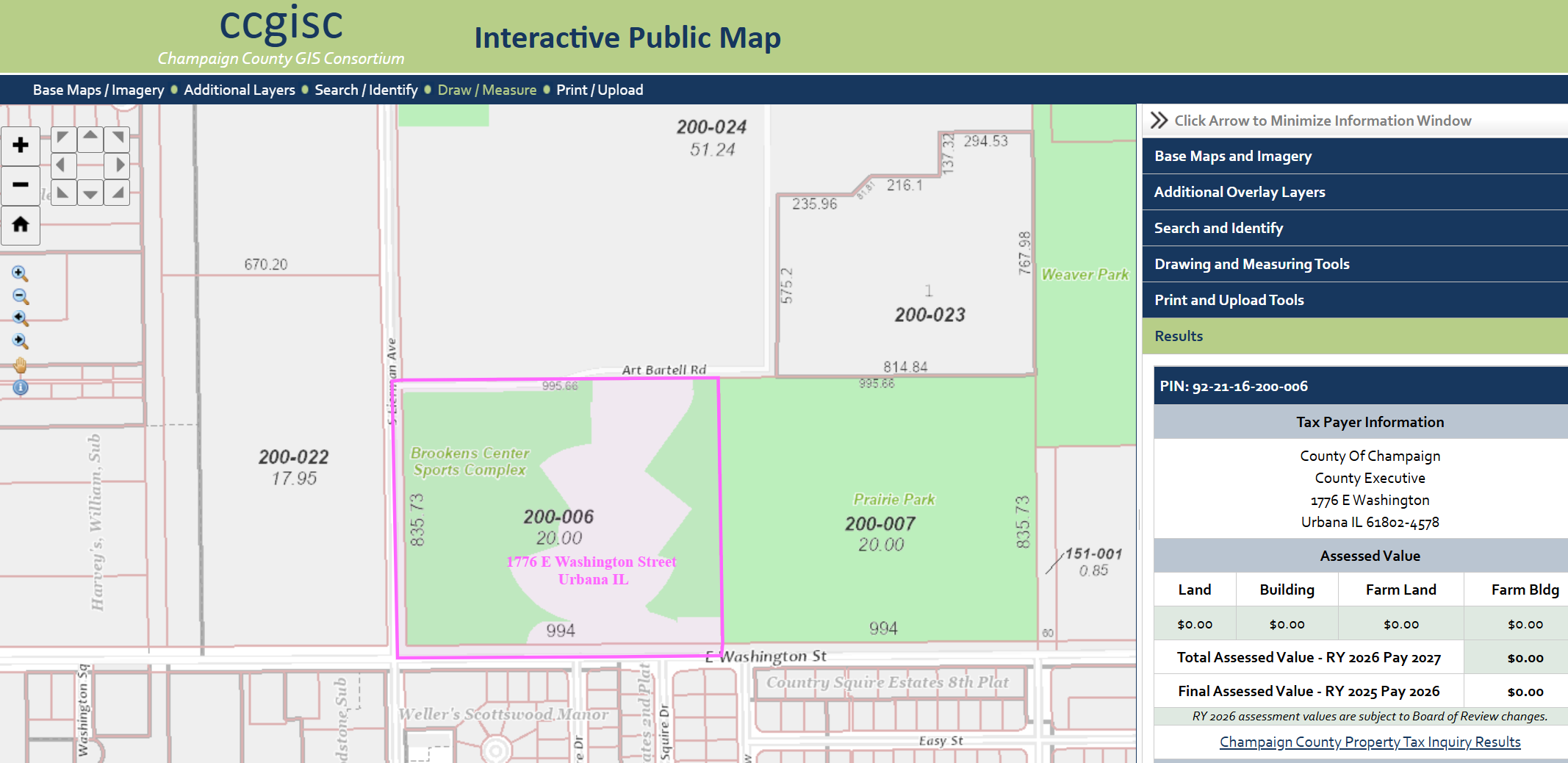
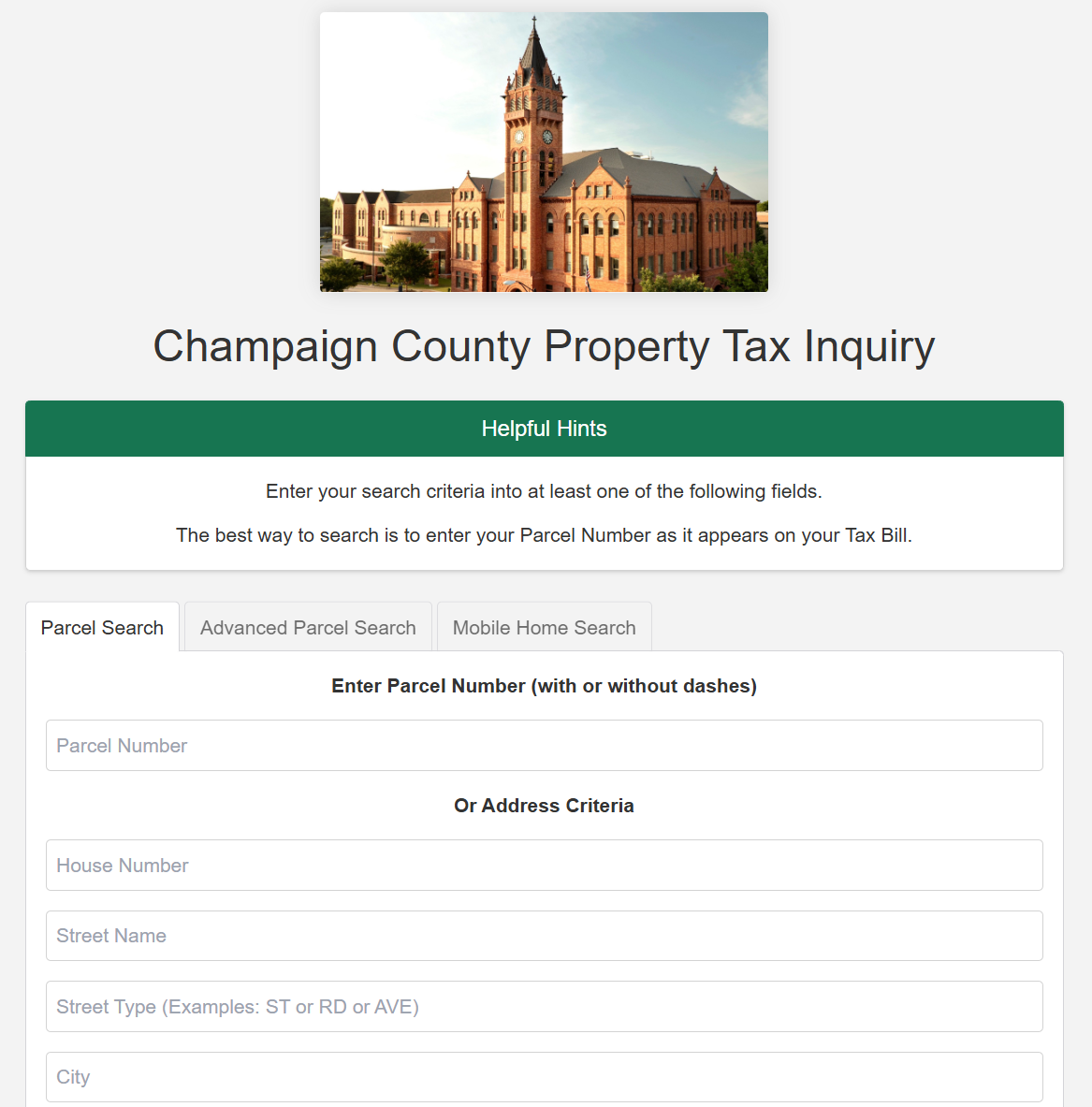
The results often include an image of the property as well. You can also access the property deed (for a fee in Champaign), as well as click nearby houses to find the names of neighbors. Other resources include Champaign County Property Tax Inquiry, found at: https://champaignil.devnetwedge.com/
In addition, some counties also have their own resources created by various groups and organizations where you can find information. Champaign County has CU Citizen Access which can be found at: https://cu-citizenaccess.org/
If you want a detailed map of the inside of a home or property, those can be found through the Cunningham Township Assessor's online property search tool.
If you want to find information on who owns a business, you can use this resource to query the name of the business and see the full name of who it is registered to and the address they provided - which in some cases is a home address.
You can get a view of a property using Google Street View or its alternative Kartaview, previously referred to as Open Street Cam.
You can also use sites like Zillow to get a good look of rooms and structures inside the home. You'll also find other property features on Zillow, such as if a home has central heating and cooling, or a security system installed.
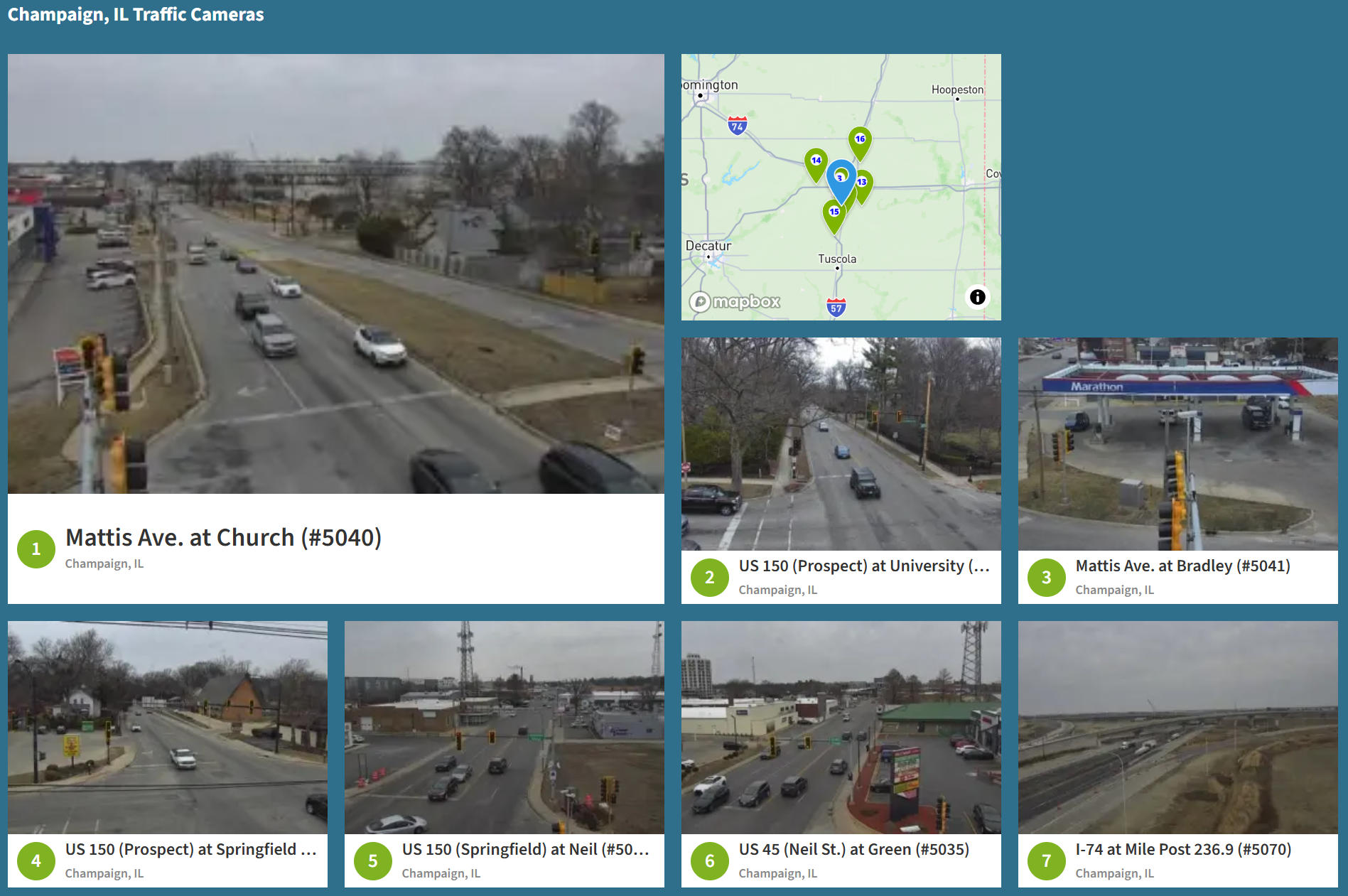
If that isn't enough, you can also view local footage from traffic cameras around Champaign on Weatherbug.
Yet more alarming is the host of footage one can find on Shodan if searching for improperly configured or unsecured live cameras. The amount, and nature of this footage is alarming and includes webcams on laptops, baby monitors, security cameras inside of homes, and even doorbell cams, Shodan is a nightmare for someone who is already paranoid about their privacy.
You can use Earthcam to browse live cameras on a map, too.
What About Vehicles?
Progressive's auto quote feature used to allow anyone to ask for an auto quote using an online tool where you could put in an address and receive the make and model of all cars linked to an address. Last I checked, this feature has been removed.
You can still use Google Street View to find cars parked outside an address and do your best to identify them. The website carnet.ai allows you to upload an image of a vehicle and it will use machine learning to identify the year, make, and model.
If you have a license plate number, you can look up the VIN here. Using the same tool, you can look up the VIN to grab more details on the vehicle. You can check if the vehicle has been reported as stolen here.
If you're looking for a name from a plate, that's usually protected information. However, information on the dealship for a lot of cars is often a part of the license plate holder.
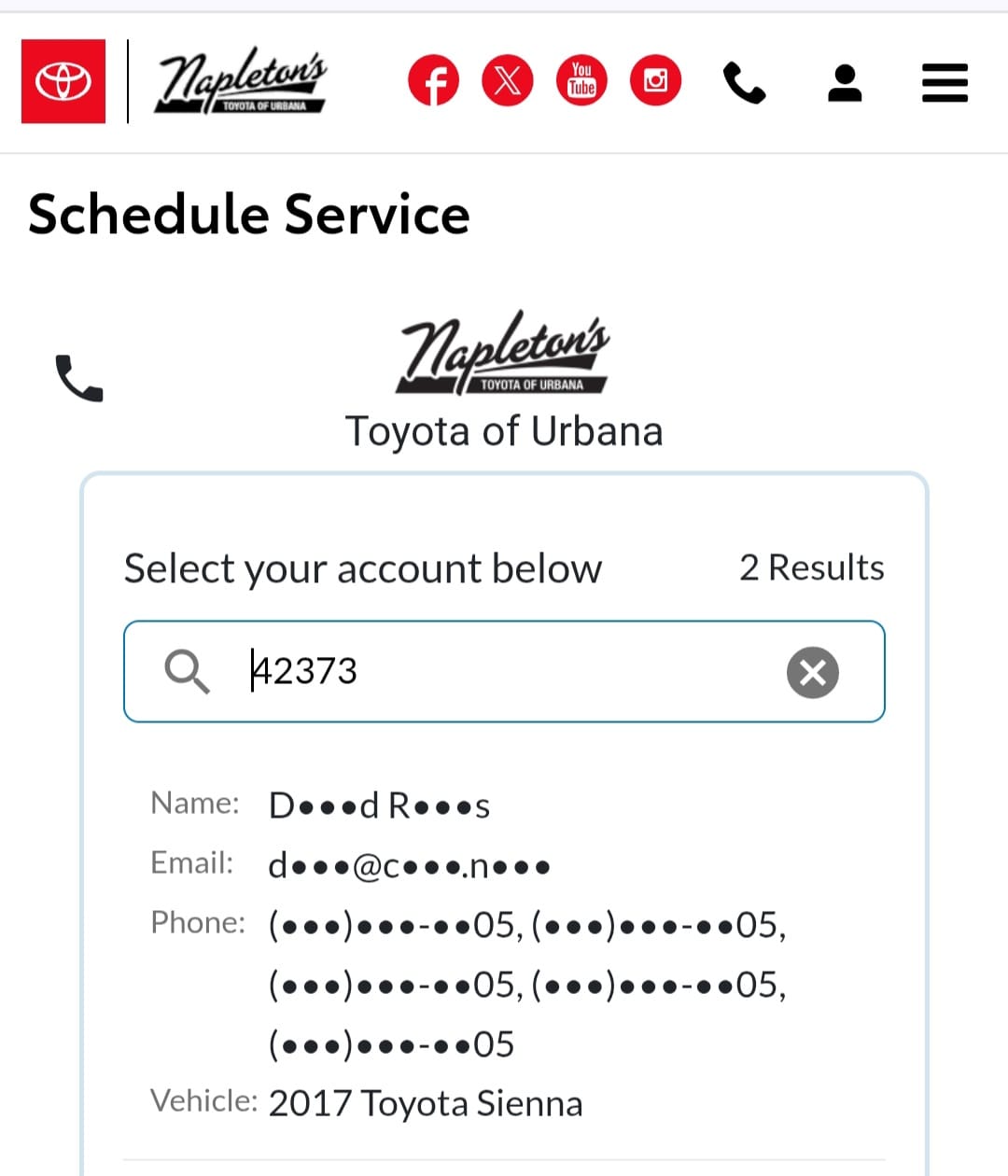
Many dealerships allow returning customers to book service for their car online. The online portal typically allows customers to search for their account by VIN, or make and model. The result may include a partially obscured name. From there, it's not hard to find a full name.
For some states like Illinois, if you have first name, last name, middle initial, legal gender, and date of birth, you can even generate a target's Driver's License Number (DLN) using High Programmer.
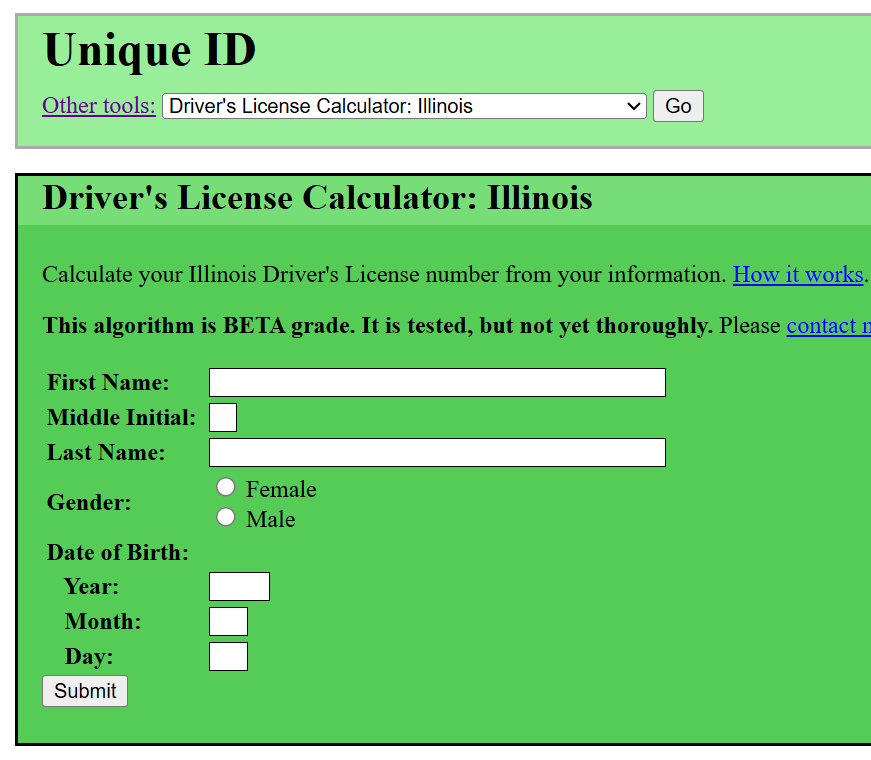
High Programmer will also allow you to input a known Driver's License Number, to return a potential full name.
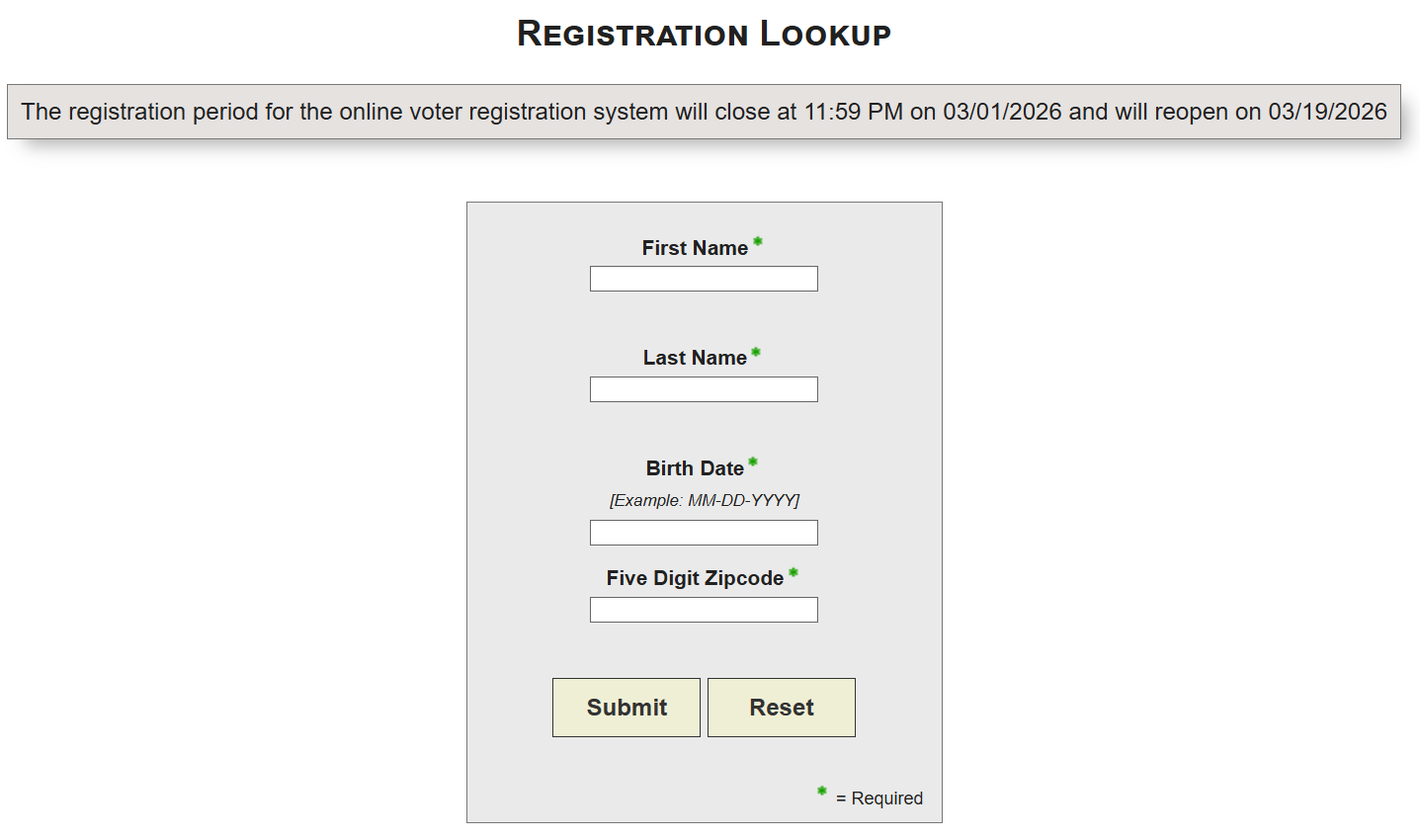
You can check an individual's voter registration status if you have their DLN. Although you don't need a DLN to look up voter information, it's still useful. However, I have found that this method sometimes fails to find information that should exist.
Searching Court Records
Judyrecords is my favorite resource for performing a nationwide search, but it might not contain everything. I navigate to the County website for each location I know a target has lived and manually check their online court record system each time, if one exists. Sometimes, you will have to make an in-person trip.
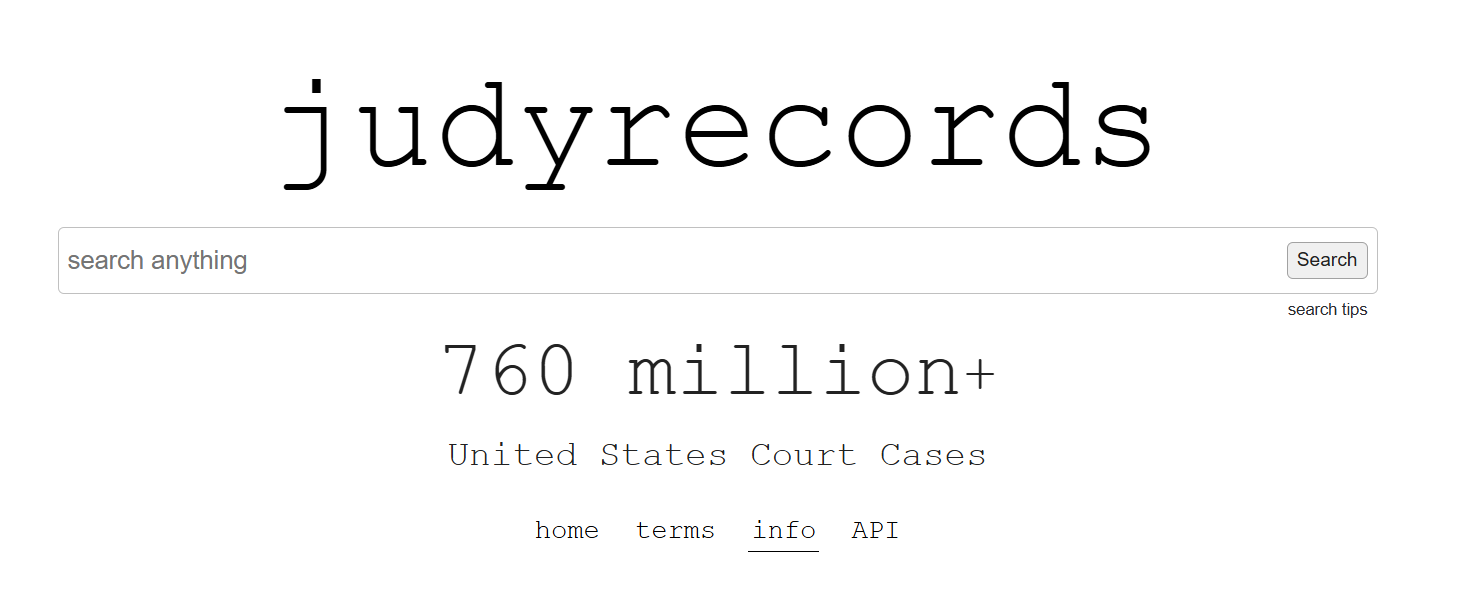
For example, you can use Clericus Magnus to find court case information online for Champaign County. For the state of Indiana you can use MyCase. Using these resources, you can find case numbers, and order transcripts of a hearing. Court dockets can include a recent address for a target, and in some states a full date of birth, along with other useful demographics.
If someone has changed their name, you can also source publication archives to find an individual's public notice of name change in their local newspaper. This is often mandatory with a name change in many states, but laws are changing around this.
For Illinois residents, you can find out if an individual is registered to vote here, and this site will display a full middle name, as well as the age of a target.
If you're looking for mugshots, look no further than arrests.org. I've found many of former managers, coworkers, family members, and friends out of pure curiosity.
Locating a Username
Michael Bazzell of IntelTechniques put together a pretty nifty search tool that allows you to query multiple social media sites and search engines easily.
Apart from searching each social media site for a username, you can use Namechk by entering a username and scrolling to the end of the domain results to the Check Usernames section.
This will tell you where a username is taken. If someone uses the same username across social media sites it will show up as taken in red and you can click the link to the source to view the profile.
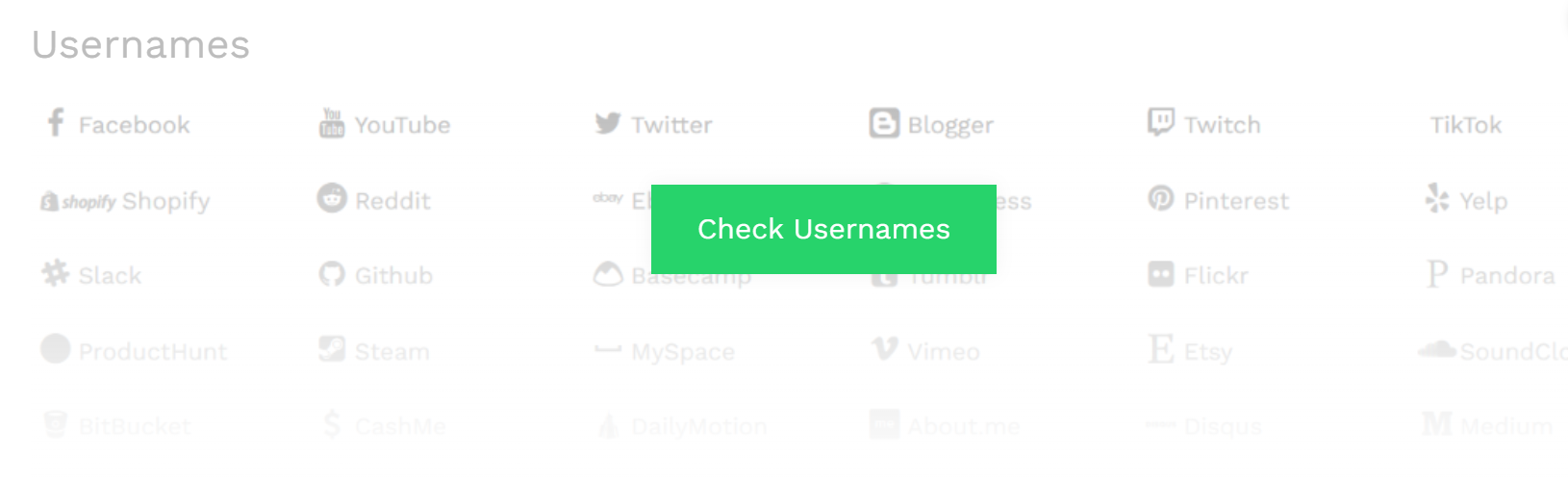
If you don't know someone's username, try using the first part of their email address, so if their email is jane_doe23@gmail.com, you would try searching "jane_doe23" on Namechk. Try alternative versions such as jdoe23, include middle initials, or even birth year.
Search in fandoms you know they like, many people also have forgotten LiveJournal, Tumblr, and Reddit pages that might be found using the Internet Archive.
A lot of people have a Linktree, so if you know a username is theirs, try searching for it: https://linktr.ee/janedoe
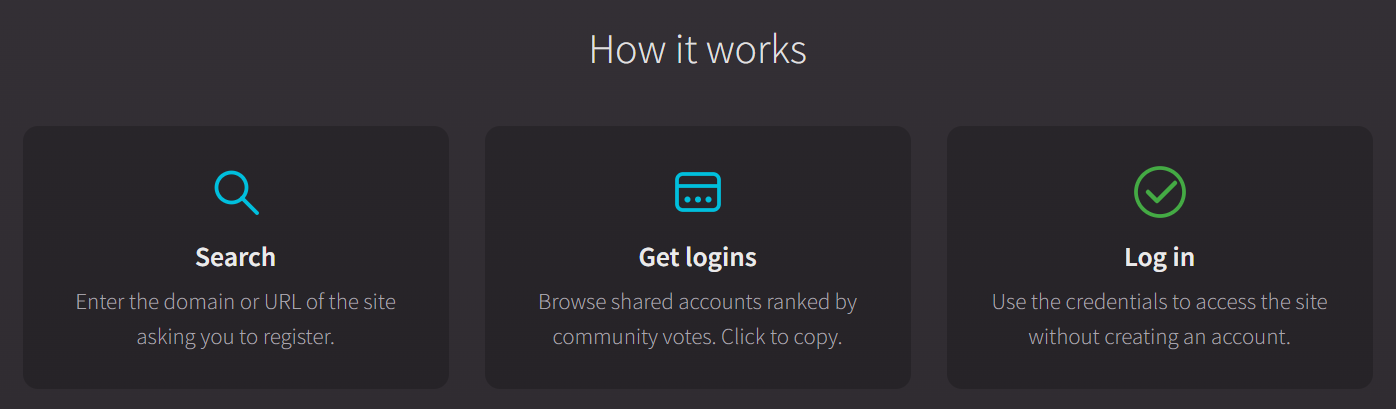
If you want to search a social media website behind a login you can use BugMeNot.com which allows users to share their logins for various websites. These users have given their consent to the public to use their credentials in order to access data behind a login. Especially useful for sites not accepting new members.
Let's say you find your target's profile on Instagram, and you want a detailed overview of the information, such as follower count and post frequency. You can use Toolzu.
Scraping information from different social media sites requires its own blog entry entirely. We will dive more into harvesting data from popular social media sites later.
Back in the day, Pipl used to offer a free powerful search tool that allowed one to connect a username to a real person, and it would often map their entire online persona, including otherwise hidden usernames. It was so good, that they decided to lock it down. It's only available to businesses now, and at a hefty price.
Questionable Technique: Password Knocking
If you find a social media account and want to get some idea of who runs the account, you can attempt a method referred to as password knocking.
Password Knocking is attempting to reset the password of an individual's account to reveal all or partially obscured information such as associated email, phone number, or model of cell phone.
This can trigger an email or push notification to a mobile phone, alerting the target, which might make them lock their account down even tighter or change the details associated with their other accounts.
This is a gray area that some argue crosses a line between passive collection and active hacking.
Email Addresses
You will usually find a list of email addresses associated with an individual on people search sites, and some sites allow you to search by email to return a name.
You can also use a Linux tool called TheHarvester to search for all email addresses associated with a domain name. If your target owns a website, then you might have some luck scraping the website for email addresses using this tool.
I'll walk you through setting up a Linux Virtual Machine for OSINT research in Part 2 of this series and teach you how to install tools like TheHarvester.
If you know the username of an individual, try attaching it to popular email domains. For example, if "jdoe23" is the target's username, try searching sites for "jdoe23@gmail.com" and include alternatives like "j_doe2023@gmail.com".
Password Leaks
My go-to site for password leaks for several years now is Dehashed, and it is the one paid resource I recommend; prices are very affordable for the information contained in its database.
This treasure trove of information contains leaked passwords, email addresses, usernames, phone numbers, IP addresses, birthdays, home addresses - you name it.
You can search by many different identifiers to find target information, and much of the information here can't be conveniently found elsewhere.
If you want to determine if your target might have had their data leaked, you can input their email address into haveibeenpwned and get a list of all the leaks that included that email.
You can also use LeakPeek to find partial passwords of emails that have been exposed as part of a data leak.
Attackers can use this information to create a known password cracking list to use with Hashcat or a similar tool to break into your account, which is why you need to enable Multi-Factor Authentication (MFA) right now. Yes, now. Take a break from reading this and set it up.
Part 2 of this series will also dive deeper into exploring hacked and leaked data.
Image Analysis
The only thing I really do with images is perform a reverse image search and check if an image has metadata worth extracting, such as GPS location, or date and time the photo was taken, along with the model of camera used to take the photo.
I use a combination of Google Images, TinEye, Yandex, and facecheck.id to perform a reverse image search. This might also reveal previously unknown social media profiles if the target uploaded the same images to another profile.
If I want to extract EXIF data, which is a specific type of metadata that’s found in images, I rely on a tool called Metagoofil, you can also use Metagoofil to extract metadata from files like PDF and TXT documents. Most social media sites these days scrub images of EXIF data by default upon upload.
One spooky resource, geospy.ai, analyses an image and tries to identify the location in an image based on elements of the image itself.
You can also use different tools that perform Error Level Analysis and Noise Analysis to check if an image has been altered, one website that will help you tell if an image has been manipulated is fotoforensics.com.
Websites
To ascertain who owns a domain, I use WhoIs and Dracoeye for a threat analysis that performs a passive security audit. Censys is also a useful tool to find alternative names.
I might utilize Host.io to find URLS that are forwarding traffic to a site, and smallseotools.com/backlink-checker to search backlinks to a target site. You'll need to grab an API token for Host, though.
A fun bit on IP addresses and download history:
Iknowwhatyoudownload is a website that tracks and displays BitTorrent download history associated with public IP addresses, if you navigate there in your browser, it will show you the last torrent history associated with your public IP address.
If you know someone's IP address and they pirate things without using a VPN, you can find their download history, like so:

Deleted Content
Often times, content you might be searching for has been deleted. Never fear, it might still be out there.
You can use archive sites like archive.today to search for deleted webpages or social media profiles or my personal favorite, the Internet Archive's Wayback Machine.
You can also use these resources to archive sites and target profiles, and I recommend that you do.
If an image has been deleted, there is some hope in trying RootAbout as it searches against images stored on the Internet Archive and within Open Library.
If you suspect that your target has changed their name on Facebook or is using a name that is not their legal name, don't forget to check their profile URL. That URL will often contain the original name that was provided when the account was first established.
The Human Perspective
You can lock your social media accounts down all you want but unless everyone you are close to locks theirs down too, they become a resource. A relative or mother posting about your birthday or posting photos of you and your siblings to show everyone the children she is proud of, unknowingly provides material for deep fakes and becomes a vulnerability for malicious actors to exploit.
A recording of your voice or a video of you floating around has even more sinister implications for AI-generated content. Facebook becomes a source for check-ins and current locations, close family and friend connections, interests, and birth dates.
If the target has a private account, grow a sock account over time. Create mutual connections and make that account have special interests in common with a target. Post about being at the same events if they're large in scale, giving the impression you exist in real life and boom!
Now they're far more likely to accept a follow request from you without asking any questions.
If someone is really out to get information, they have to be somewhat decent at social engineering, especially if other resources are limited.
How Do I Safeguard My Information and Protect My Privacy?
I'll walk you through scrubbing your digital footprint and hiding from the internet in the last part of this series.
In the next article, I will teach you how to set up a Linux Virtual Machine (VM) packed with investigative tools, and how to maintain anonymity while conducting an investigation.
We will get into creating and maintaining sock accounts geared towards a target or target population, analyzing data leaks, and using APIs to scrape data. I will show you how to efficiently store the information you harvest.
Most importantly, I will teach you how to think like an attacker in order to assess what might be of interest to one, and we will go over planting misleading information and creating a fake trail or foil to thwart bad actors. You will take a stroll through parts of the deep web.
We'll also go into setting up scanners and Google Alerts to continuously check for new information on a target, so you can rest while you let technology do your dirty work.
By the end of this series, you'll be able to compile a report that will earn you your OSIP.

Thanks for staying to the end of this entry. I hope you'll stick around for the rest.
Glued to Your Seat and Want to Learn More Right Now? Check Out My Current Top Three Resources
Some important information in this blog entry was sourced from the following books:
